Safari's New Adaptive Dark Mode
Adaptive Dark Mode has landed in Safari 27.3 beta. It can automatically turn light pages dark, and I was curious to try it out with one of my test HTML emails.
The feature is now part of WebKit, the rendering engine used by Safari, Apple Mail, and many iPhone and iPad apps that render HTML. I wouldn’t be surprised if we see this become another mode to commonly test against in the future.
With Adaptive Dark Mode still on, adding light dark brought back the email’s
original colours, even though I hadn’t added any dark mode styles.
My test email HTML is for a booking confirmation for a fictional golf club. The screenshots below are real renders from Safari 27.3 beta, showing the same email with Adaptive Dark Mode off and on, so you can see what happens to the backgrounds and text.
Safari 27.3 Adaptive Dark Mode preview
Loading screenshots…
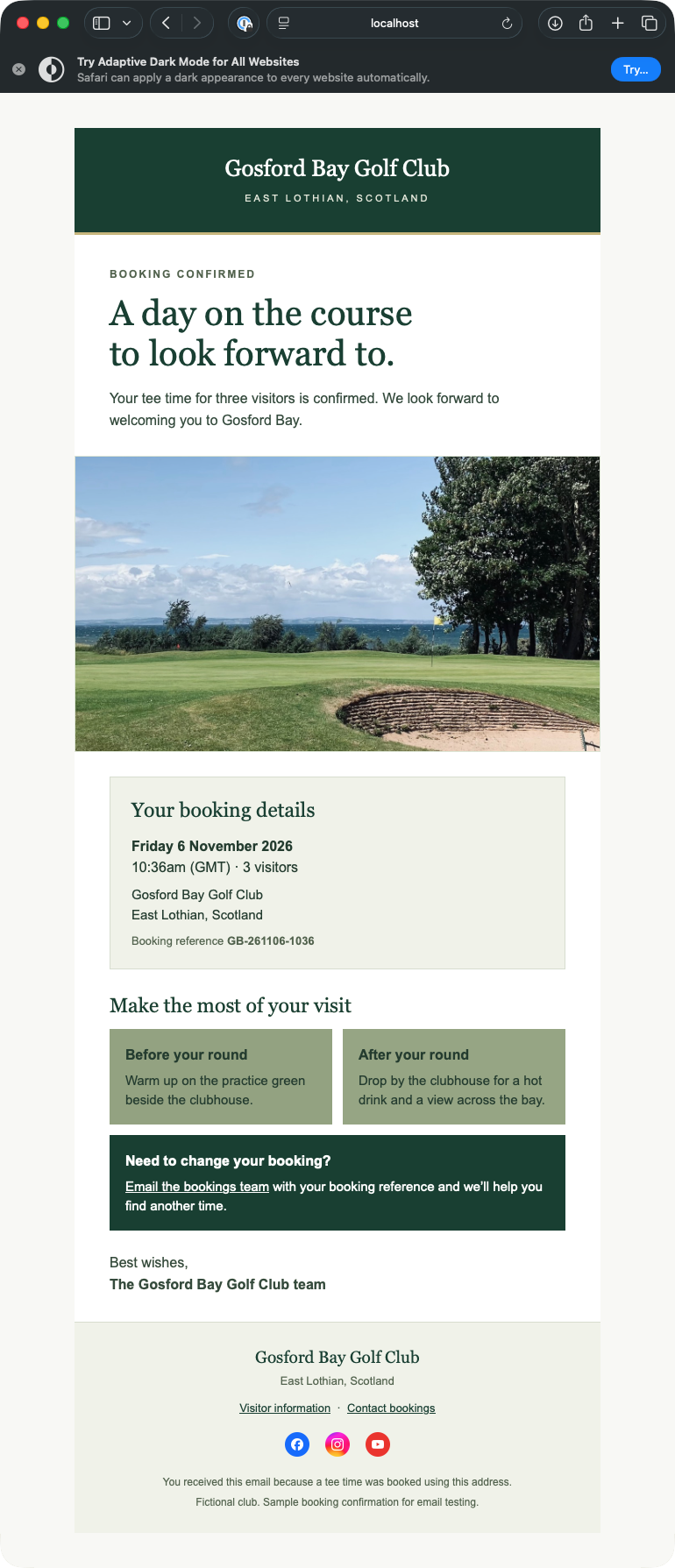
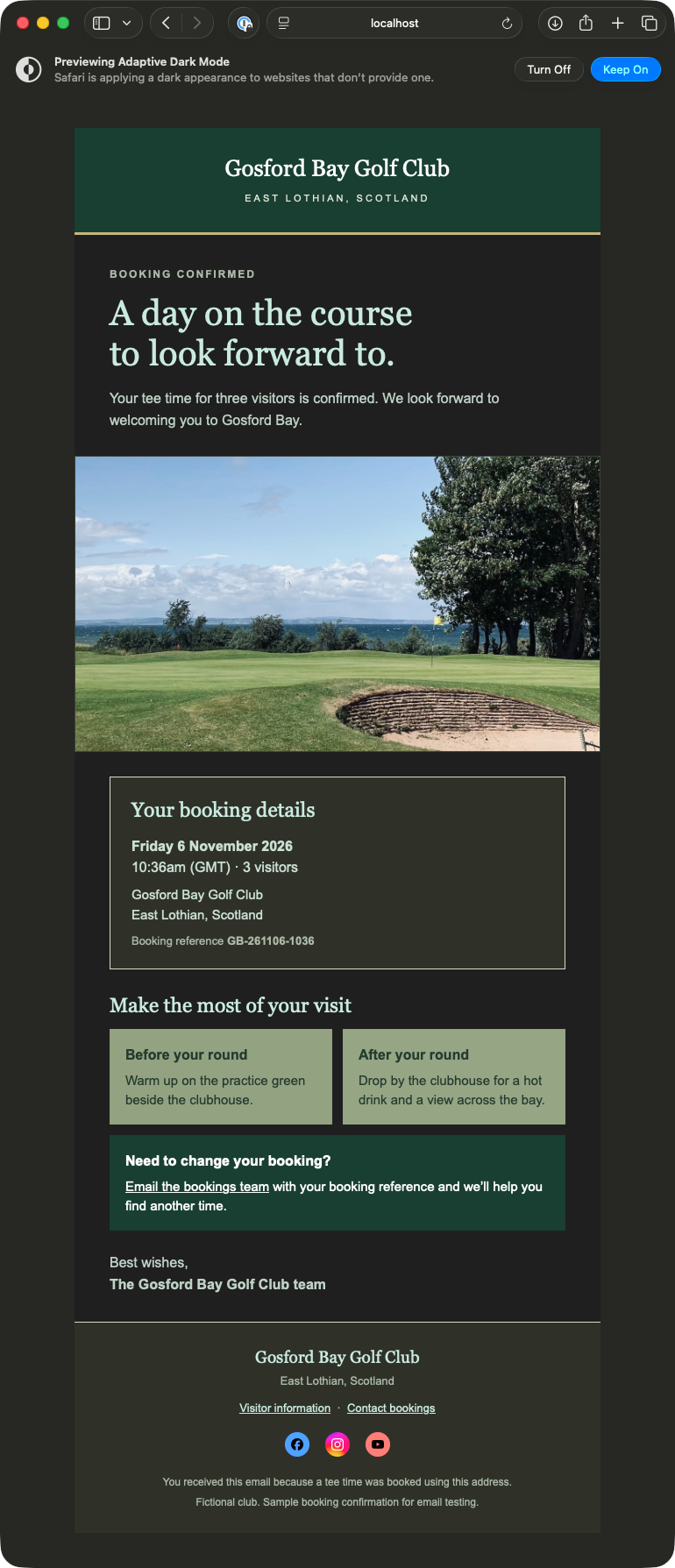
When adaptive is off, toggling the system light or the dark theme doesn’t alter the colours of the HTML. However, after enabling Adaptive Dark Mode, we can see background and text colours invert.
How color-scheme affects Adaptive Dark Mode
I turned on Adaptive Dark Mode, then changed the color-scheme
meta tag and reloaded the booking confirmation. The email has no custom dark styles. Here’s a little video of this:
| Declaration | Behaviour |
|---|---|
| No declaration | The email darkened when I turned on Adaptive Dark Mode. |
light dark | After reloading, Safari showed the email’s original light colours. |
light | Safari darkened the email again. It stayed dark with light only too. |
dark only | Safari returned the email to its original light colours. |
I expected light only to keep the email light but I had missed WebKit’s note on light only, so while it appears that rule
is in the rendering engine, it’s not made it through to the browser version just yet.
Adaptive Dark Mode options
If you’re a little hesitant to try out this new feature in case you can’t turn it back off, don’t be!
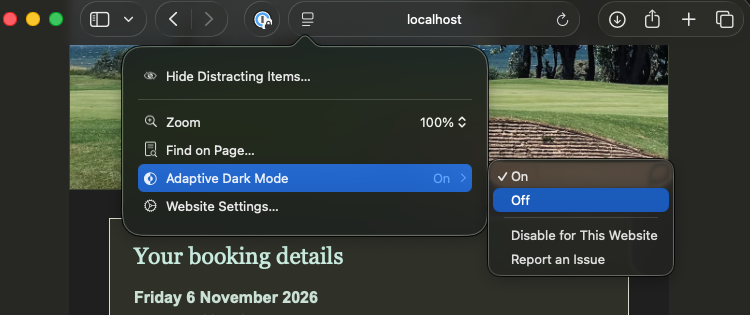
Once you’ve enabled Adaptive Dark Mode, there’s a dropdown next to the address bar that lets you easily toggle it on or off, or disable it for the current website.
Summary
From my one limited experiment, Safari seemed to do a decent job of inverting colours where it made sense. The social icons in the footer made me think a bit more about transparent backgrounds. The white marks on the Facebook and YouTube icons turn black, and their coloured circles get lighter. I’d try versions with a solid background and see how they compare.
And from a rules perspective, if your email already declares light dark as
its color-scheme, Safari’s Adaptive Dark Mode leaves the email’s colours
as authored, even if you haven’t added any dark mode styles.
¿Listo para detectar problemas antes del envío?
Ve capturas reales, revisa hallazgos de accesibilidad y comprueba señales de entrega en un solo lugar.
Prueba Preflight gratis durante 14 díasNo se te cobrará hoy. Cancela cuando quieras antes de que termine la prueba.