See what will break before your audience does
Preflight is the all-in-one QA pass for production email, bringing screenshots, accessibility findings, delivery checks, and earlier extension-based testing into one calmer workflow.
Apple Mail (iPad)
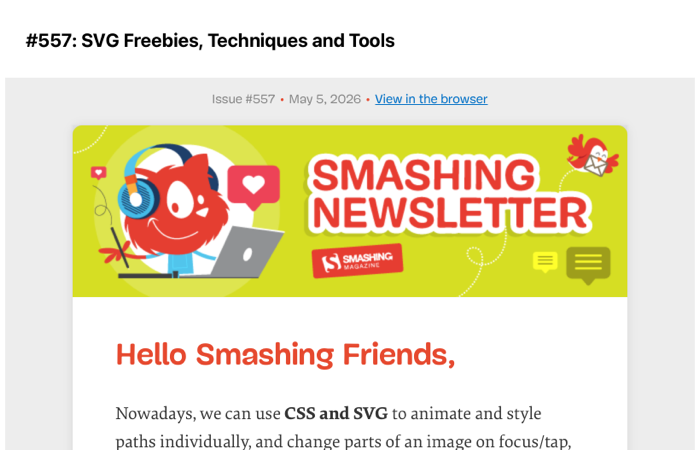
Outlook (classic)

Gmail (iPhone)

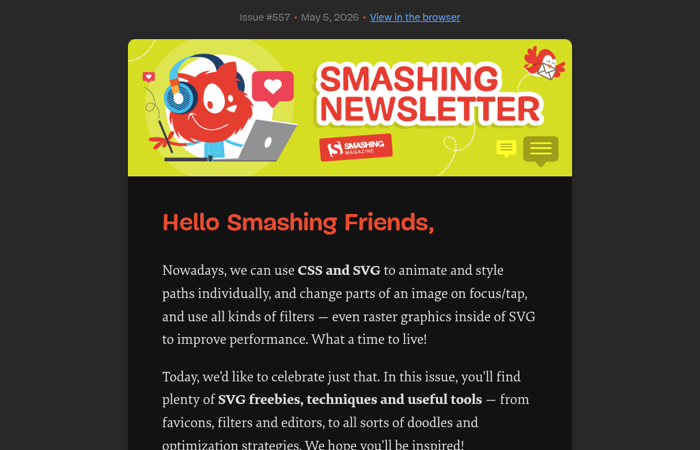
Forced Dark Mode (Chrome)
QA emails from wherever your team works
Preflight fits around your existing workflow, so you can start testing before an email is finished and complete QA without jumping between tools.
1. Start with the draft you already have
Send from your email service provider, upload HTML directly, or capture a draft from your browser when you want to test earlier.
2. Review every check in one place
See screenshots, accessibility findings, and delivery signals together, so important issues do not get lost across separate tools and review handoffs.
3. Fix issues and send with confidence
Preflight helps you catch problems before send time, so your audience is more likely to receive the email you intended.
Test earlier with the browser extension
When an email is still being built, the browser extension is the fastest way to capture screenshots before you are ready for a full audit.
Use it with local HTML files, and supported builders like Beefree, Brevo, Customer.io, Klaviyo, and Resend.
Explore the browser extension
What comes back from one test
One input gives you rendering proof, content findings, and delivery signals you can review before launch.
Review the render before anyone else does
See the screenshots you need to review before launch, so layout shifts, stacking issues, and client-specific quirks are easier to catch while there is still time to fix them.
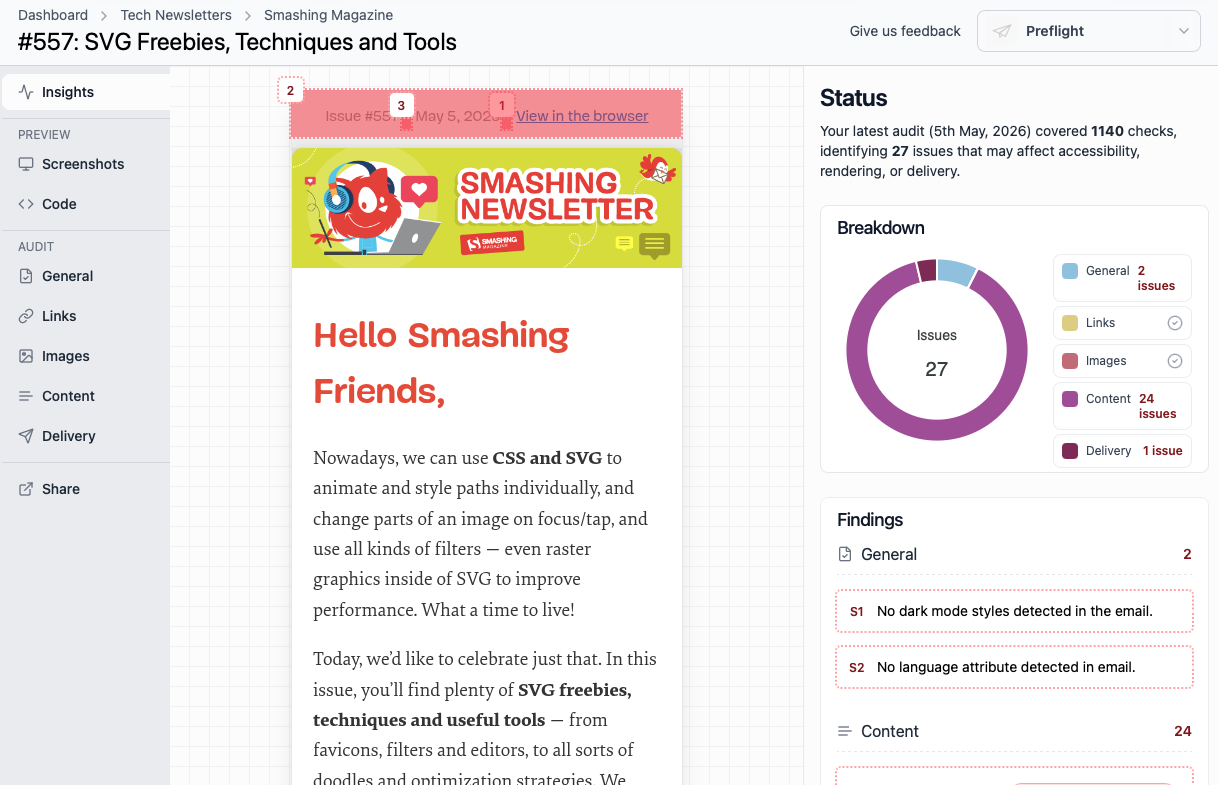
See the issues worth fixing
Review accessibility findings and content checks in one place, so missing alt text, weak contrast, and other problems are easier to fix before an email goes live.
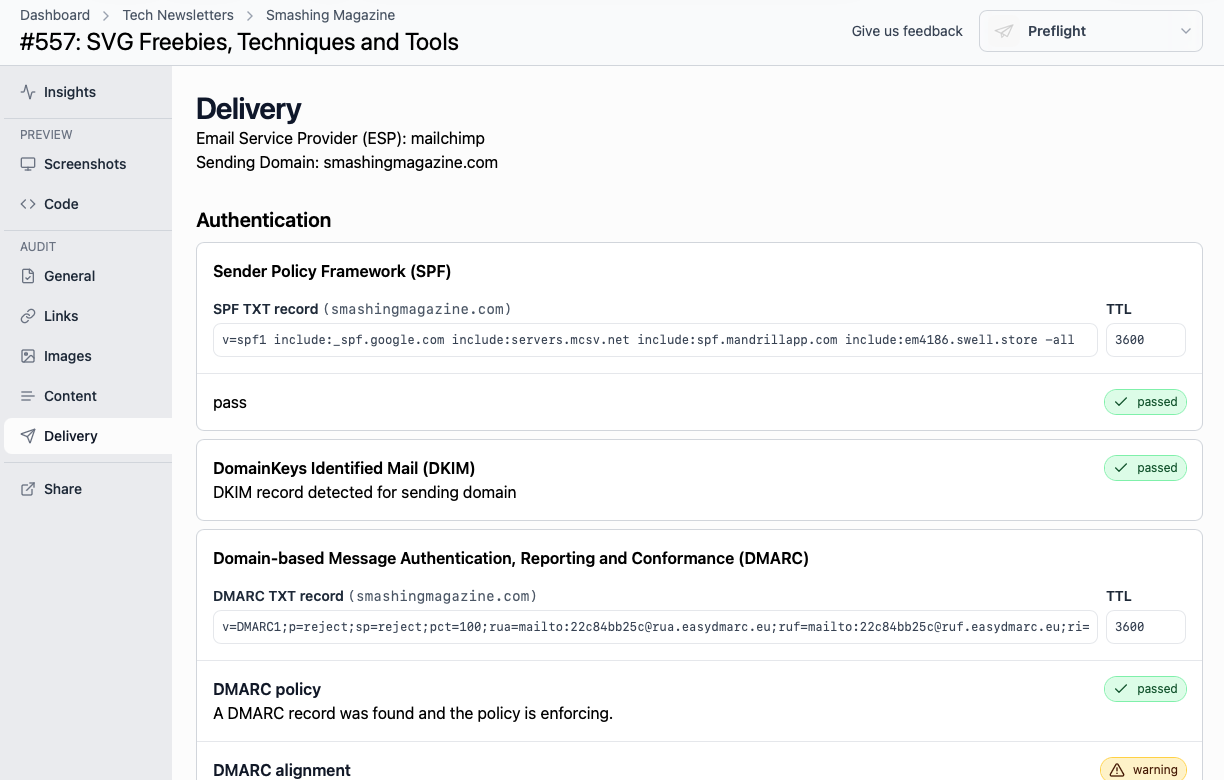
Catch delivery risks before send
Review authentication, reputation, spam, and performance signals together, so you can catch the technical issues most likely to affect whether your email lands cleanly.
Simple pricing for email QA
One clear plan for teams that need dependable email QA.
What's included?
Testing
- 650 monthly screenshot credits
- Real email app screenshots
- Forced dark mode Chrome screenshots
- Accessibility checks
- Email delivery insights
- QA email journeys
- API access
- Browser extension access
Collaboration
- 1 user included
- Share links
- Work in English or Spanish
Support
- Email-based support
- Continuously improved product
$35 per month
Plus applicable taxes
Everything you need for testing your emails.
Start 14-day trialNo charge until trial ends. Cancel anytime.
Trusted by teams shipping production email.
Need more?
Optional add-ons for bigger teams and heavier screenshot usage.
Additional users: $5/month each
Bring more teammates into the review workflow when you need them.
500 additional screenshot bundle: $25/month each
Expand your monthly screenshot volume without changing plans.
Frequently asked questions
What is a screenshot credit?
A screenshot credit is used each time Preflight renders a screenshot for a specific device or email client.
What is included in the plan?
The plan includes 650 screenshot credits each month, one user, full audit visibility, API access, and browser extension access.
How are additional users billed?
Additional users are available for $5 per month, per user.
How do extra screenshot credits work?
Extra screenshot bundles are available for $25 each. Every bundle includes 500 screenshots, and you can add as many bundles as you need.
Is the trial limited?
Every new account gets a 14-day free trial with full access to Preflight. To help prevent abuse, some API limits may be a little lower during the trial, but there’s no reduction in functionality. No charge is taken until the trial ends.
Can I cancel anytime?
Yes. If Preflight is not right for you, cancel before the trial ends and you will not be charged.
Do you offer monthly and annual billing?
Currently, we only support monthly billing.
Do you offer refunds?
Refunds are handled in line with Paddle Buyer Terms and Conditions .
What payment methods do you accept?
All major cards are accepted. Payments are processed securely by Paddle, our merchant of record.
Do you provide invoices or receipts?
Yes. Invoices and billing records are available through Paddle's customer portal.
How do I get in touch with support?
Email us at hello@preflight.qa and we’ll help you out.
Ready to catch issues before you send?
See real screenshots, review accessibility findings, and check delivery signals in one place.
Try Preflight free for 14 daysNo charge today. Cancel anytime before your trial ends.